
Help Databases and objects
Triggers
A trigger is SQL the server runs by itself before or after a row of a table is inserted, updated or deleted. bonSQL writes triggers as SQL: it opens an editor tab with a statement for you to complete or change, and you run it like any other query.
The commands are under Others > Triggers, and on the menu you get by right-clicking a database’s Triggers folder or a trigger in the Object Browser. With that folder or a trigger selected, F4, F6, F2 and Del act on triggers.
Creating a trigger
Select the table the trigger is for, then choose Table > Create Trigger…. You can also start from Others > Triggers > Create Trigger… (F4) or Database > Create > Trigger….
Type a name in Enter new trigger name and click Create. If a trigger of that name already exists in the database, bonSQL says so.
A new editor tab opens with a skeleton:
DELIMITER $$

CREATE
    /*[DEFINER = { user | CURRENT_USER }]*/
    TRIGGER `shop`.`orders_stamp` BEFORE/AFTER INSERT/UPDATE/DELETE
    ON `shop`.`orders`
    FOR EACH ROW BEGIN

    END$$

DELIMITER ;
If a table was selected in the Object Browser, its name is filled in; otherwise the skeleton says
<Table Name>.Keep one of
BEFORE/AFTERand one ofINSERT/UPDATE/DELETE, for exampleBEFORE UPDATE, and write the body betweenBEGINandEND.Press F9, or click Execute query on the toolbar.
The Messages tab shows whether the server accepted it. If the trigger does not appear in the Object Browser, press F5.
Running the editor tab
In an object editor tab, F9, Ctrl+F9 and the toolbar’s Execute query
button all run the whole tab. F8 is not available there. In SQLyog Community the Execute button
was greyed out in these tabs; in bonSQL it works. Keep the DELIMITER lines; see
Stored procedures for why.
Changing a trigger
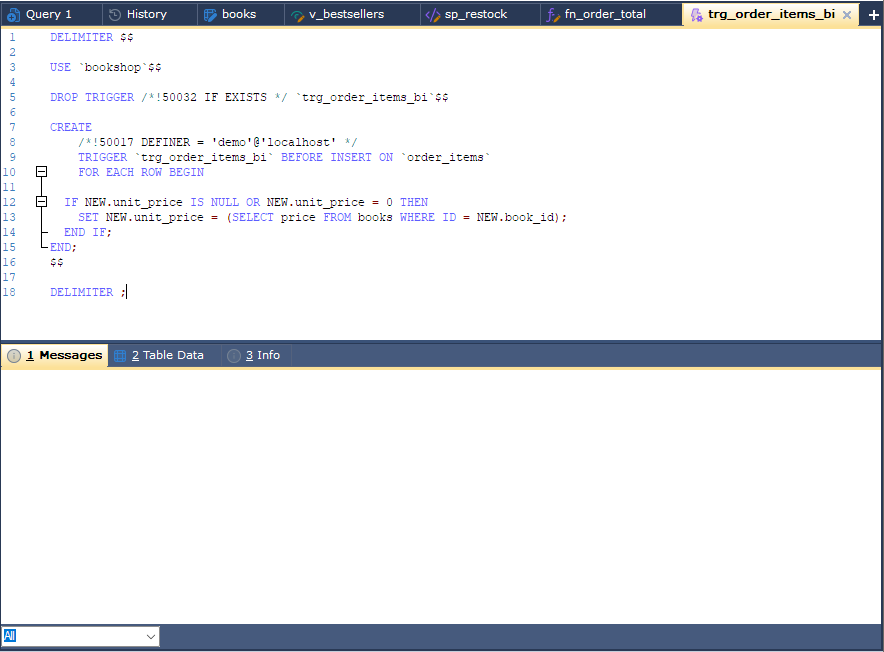
Select the trigger and choose Others > Triggers > Alter Trigger… (F6). The tab holds, between
the DELIMITER lines, a USE statement, a DROP TRIGGER for the trigger and its current CREATE statement
read from the server. Edit the CREATE part and
execute the tab: the trigger is dropped and created again.
If the server rejects the new CREATE, the drop has already happened and the table has no trigger until you
correct the text and execute it again.
Renaming and dropping
| Command | Does |
|---|---|
| Rename Trigger (F2) | Lets you type the new name in the Object Browser. bonSQL drops the trigger and creates it again under the new name; if that fails, it creates the old one again. The statement it sends names no definer, so the renamed trigger’s definer becomes your own user. |
| Drop Trigger… (Del) | Drops the trigger after asking you to confirm. |
Dropping a table drops its triggers as well.