
Help Tables, columns and indexes
SQL preview
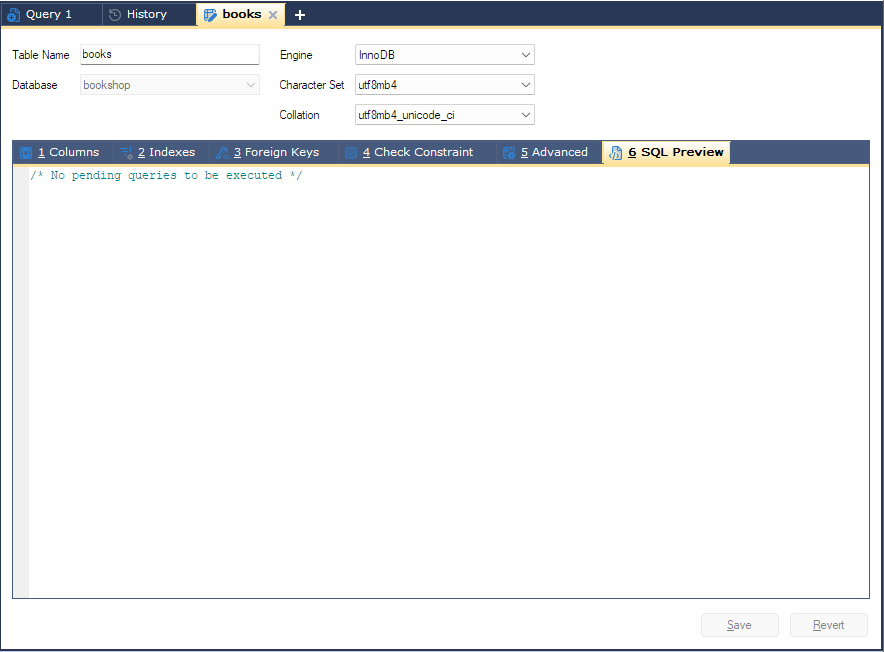
The 6 SQL Preview tab of the table designer shows the SQL that Save will send, built from what you have entered on the other tabs. It is the quickest way to check a change before it reaches the server, and to copy the statement for a script or a colleague.
Opening it
Click 6 SQL Preview in any table designer tab (F4 for a new table, F6 for an existing one). The text is rebuilt each time you open the tab, and while it is open it follows changes to the table name, database, engine, character set and collation at the top.
What it shows
| Situation | The preview shows |
|---|---|
| A new table | One Create table statement with columns, indexes, foreign keys, check constraints and table options. |
| Changes to an existing table | One Alter table statement with all the changes, then separate statements for each existing foreign key you changed, then Rename table if you renamed the table. |
| Nothing changed yet | /* No pending queries to be executed */ |
Statements end with ; and appear in the order bonSQL will run them.
On a MariaDB system-versioned table, the main statement starts with
SET STATEMENT system_versioning_alter_history=KEEP FOR; see
Changing a table.
Comments that point at problems
Where something is missing, the preview carries a comment in the statement at that point. Save checks most of these too and stops with a message. Some you may see:
| Comment | Meaning |
|---|---|
/* Table name not specified */ | Table Name is empty. |
/* No columns defined */ | The Columns tab has no columns yet. |
/* Column name not specified */ | A row has a type but no name. |
/* Data type not specified */ | A row has a name but no type. |
/* No columns selected */ | An index row has no columns. |
/* No Expression specified */ | A check constraint has a name but no expression. |
Reading and copying
The preview is read-only; change the table on the other tabs. Right-click it for Copy (Ctrl+C, when text is selected), Copy All and Select All (Ctrl+A).
Names are quoted with backquotes while Generate queries using backquote(`) is ticked on the General page of Tools > Preferences.
Tips
- If you would rather run the change yourself, copy it with Copy All, paste it in a query tab and run it there. Then close the designer tab and answer No when it offers to save, so the change is not sent twice. Press F5 to refresh the Object Browser.
- A changed foreign key that keeps its name shows as two separate statements. The first drops the key; if the second fails, the key is gone. See Foreign keys.