
Help Databases and objects
Creating a database
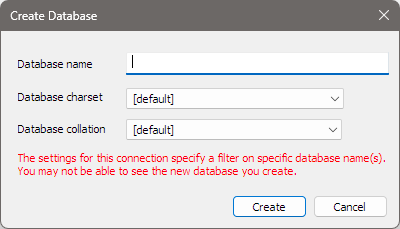
The Create Database dialog makes a new, empty database on the server you are connected to. You can set its character set and collation at the same time.
Opening it
Press Ctrl+D, or choose Database > Create Database…. The same item is on the menu you get by right-clicking the server at the top of the Object Browser.
The fields
| Field | What to enter |
|---|---|
| Database name | The new database’s name, up to 63 characters. Spaces at the end are removed. |
| Database charset | The character set, from the list the server reports. [default] leaves the choice to the server. |
| Database collation | The collation. Once you pick a character set, the list shows only the collations that belong to it. [default] leaves the choice to the server. |
Click Create. bonSQL runs CREATE DATABASE with the name and, if you chose them, CHARACTER SET and
COLLATE. It then refreshes the Object Browser, selects the new database and expands it.
On MariaDB 10.10 and later, the collation list shows the full collation names the server uses.
If the connection shows only some databases
When the connection’s Database(s) field names particular databases (see Connecting to a server), the dialog shows a note in red: you may not be able to see the new database. It is still created; add its name to that field to see it in the Object Browser.
Changing a database’s character set later
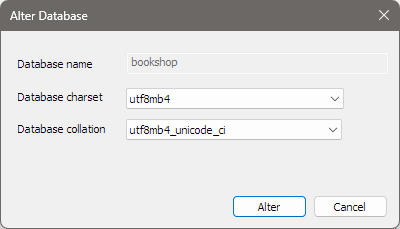
Select the database in the Object Browser and press F6, or choose Database > Alter
Database…. The same dialog opens as Alter Database, with the name greyed out and the database’s
current character set and collation selected. Choose new ones and click Alter. bonSQL runs ALTER DATABASE and says Database altered successfully.
The new character set and collation are the defaults for tables created from now on. Tables and columns that already exist keep theirs; change those in the table designer.
When it does not work
| Message contains | Usually means |
|---|---|
Please provide a valid database name | The name field is empty or holds only spaces. |
database exists | A database with that name is already on the server. |
Access denied for user | Your database user may not create databases. An administrator can grant the privilege, for example in the User Manager. |